
Roco Kingdom pre-downloads are now available for selected players ahead of the upcoming Quack Quack Test, the game's global closed beta starting on October 27, 2026.
Players who have received beta access can download the game in advance on PC, iOS, and Android. However, only approved testers can participate in the closed beta.
Here's everything you need to know about the Roco Kingdom pre-download, including the official start time, how to download the game, system requirements, and important things to prepare before launch.
Roco Kingdom Pre-Download Start Date
Pre-Download: Available Now for Selected Testers
Starting October 22, 2026, players can check their beta access status through the official Roco Kingdom website.
Eligible players will receive confirmation emails containing instructions for downloading the test build. Invitations are being sent out in waves, so players should continue checking their email inboxes.
To check your access status, visit the Roco Kingdom Official Website and log in using your Level Infinite account.
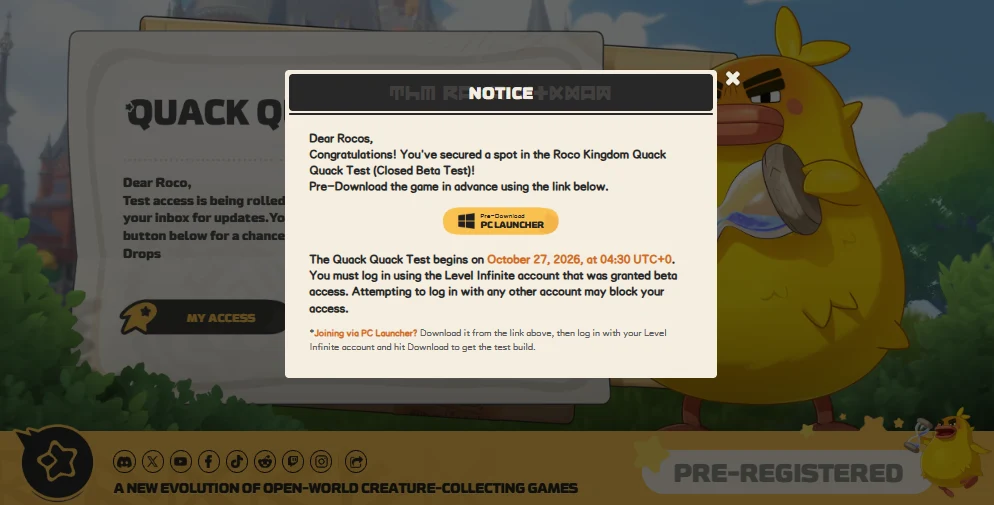
Note: Pre-download access is limited to selected testers. Downloading the game does not automatically grant beta access.
Roco Kingdom Quack Quack Test Start Time
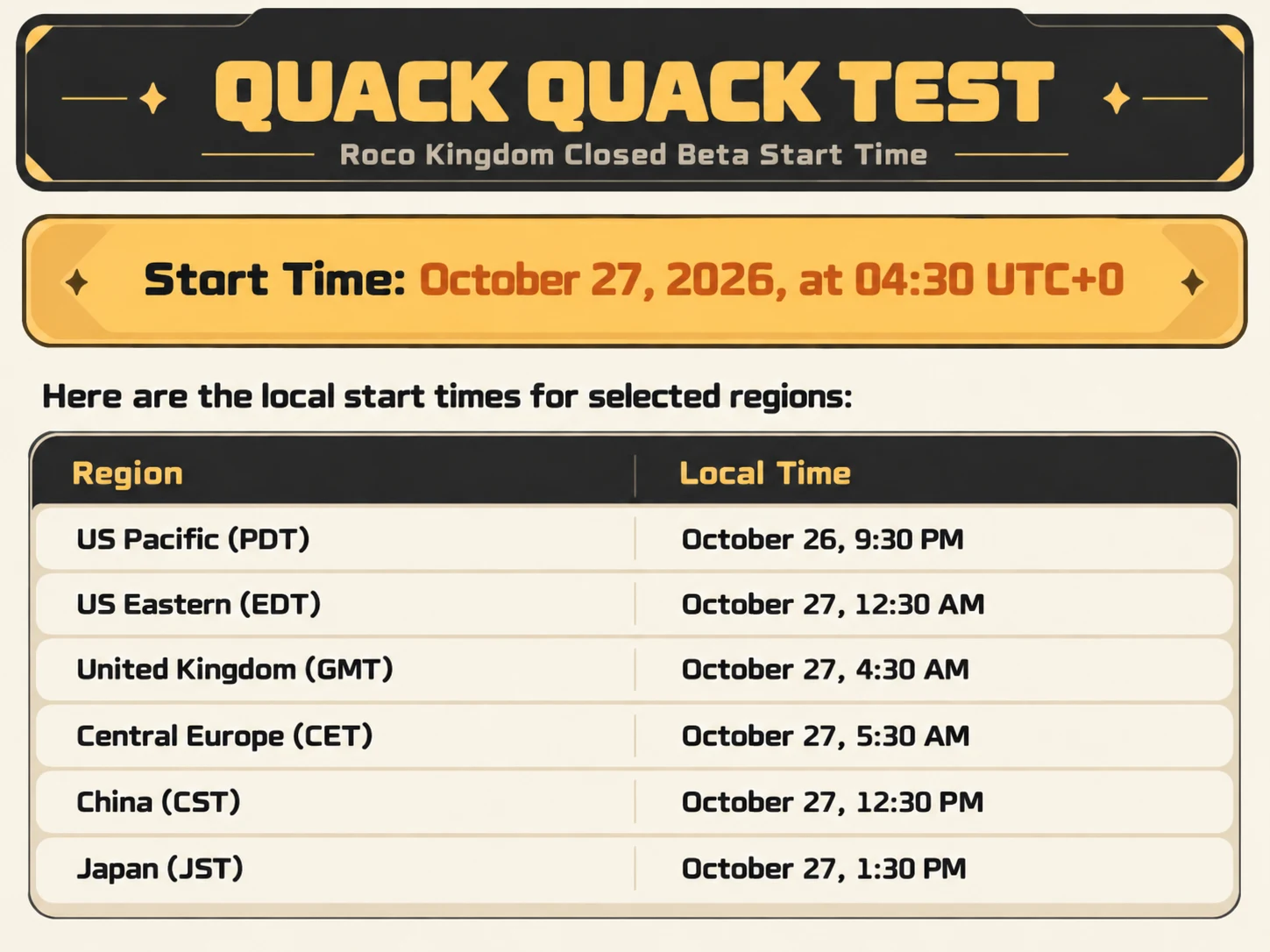
Official Start Time: October 27, 2026, at 04:30 UTC
The Quack Quack Test will officially begin on October 27, 2026, at 04:30 UTC.
Here are the start times for major regions:
How to Pre-Download Roco Kingdom
The Quack Quack Test is available on PC, Android, and iOS. The installation process differs depending on your platform.
Method 1: Roco Kingdom PC Download
Players selected for the PC beta can download the game through the official PC Launcher.
Download Instructions:
- Open your official Roco Kingdom beta confirmation email.
- Click Pre-Download – PC Launcher.
- Download and install the launcher.
- Log in with the Level Infinite account that received beta access.
- Click Download to install the game.
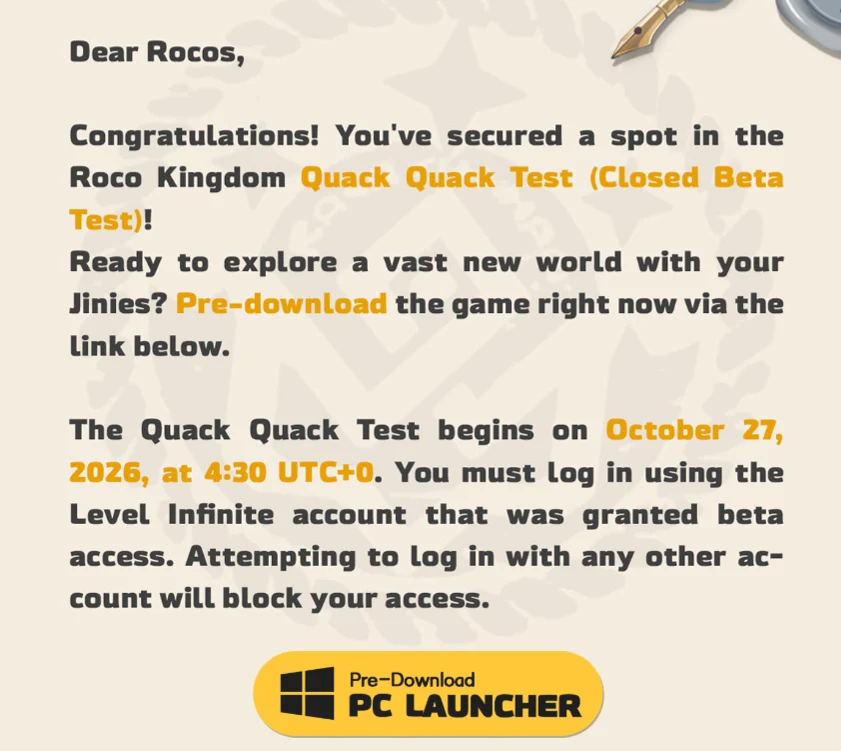
Alternatively, eligible players can visit the official Roco Kingdom website, log in, confirm their access status, and download the PC Launcher.
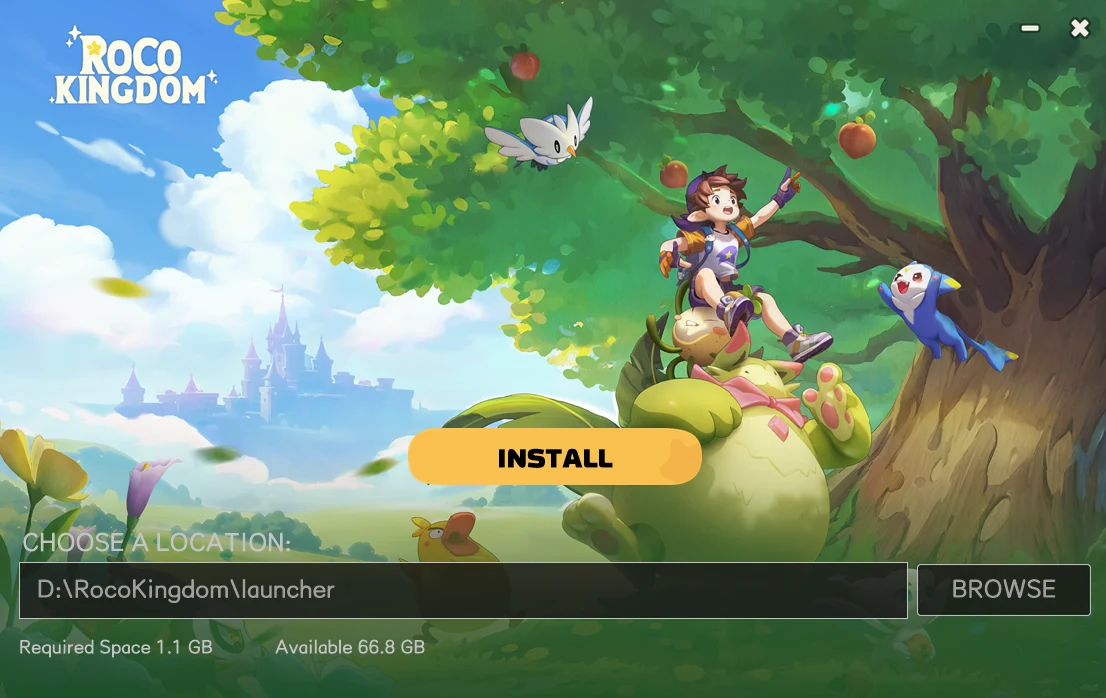
Important: You must use the Level Infinite account approved for the test. Logging in with a different account may prevent access.
Method 2: Roco Kingdom Android Download
Android players can install the beta through Google Play.
Download Instructions:
- Open your beta confirmation email.
- Click Pre-Download – Google Play.
- Sign in to Google Play with the eligible Google account.
- Download and install the Roco Kingdom test build.
Note: If your Level Infinite account was not registered using a Gmail address, you may encounter difficulties downloading the game through Google Play.
Method 3: Roco Kingdom iOS Download
iOS players can download the beta through Apple's TestFlight service.
Download Instructions:
- Check your email for the official Apple test invitation.
- Install the TestFlight app on your iPhone or iPad.
- Follow the instructions provided in the invitation email.
- Enter the redemption code if requested.
- Download and install Roco Kingdom through TestFlight.
Important: Apple invitation links and redemption codes are intended for personal use. Do not share them with other players.
Roco Kingdom System Requirements
Before downloading, make sure your device meets the official closed beta requirements.
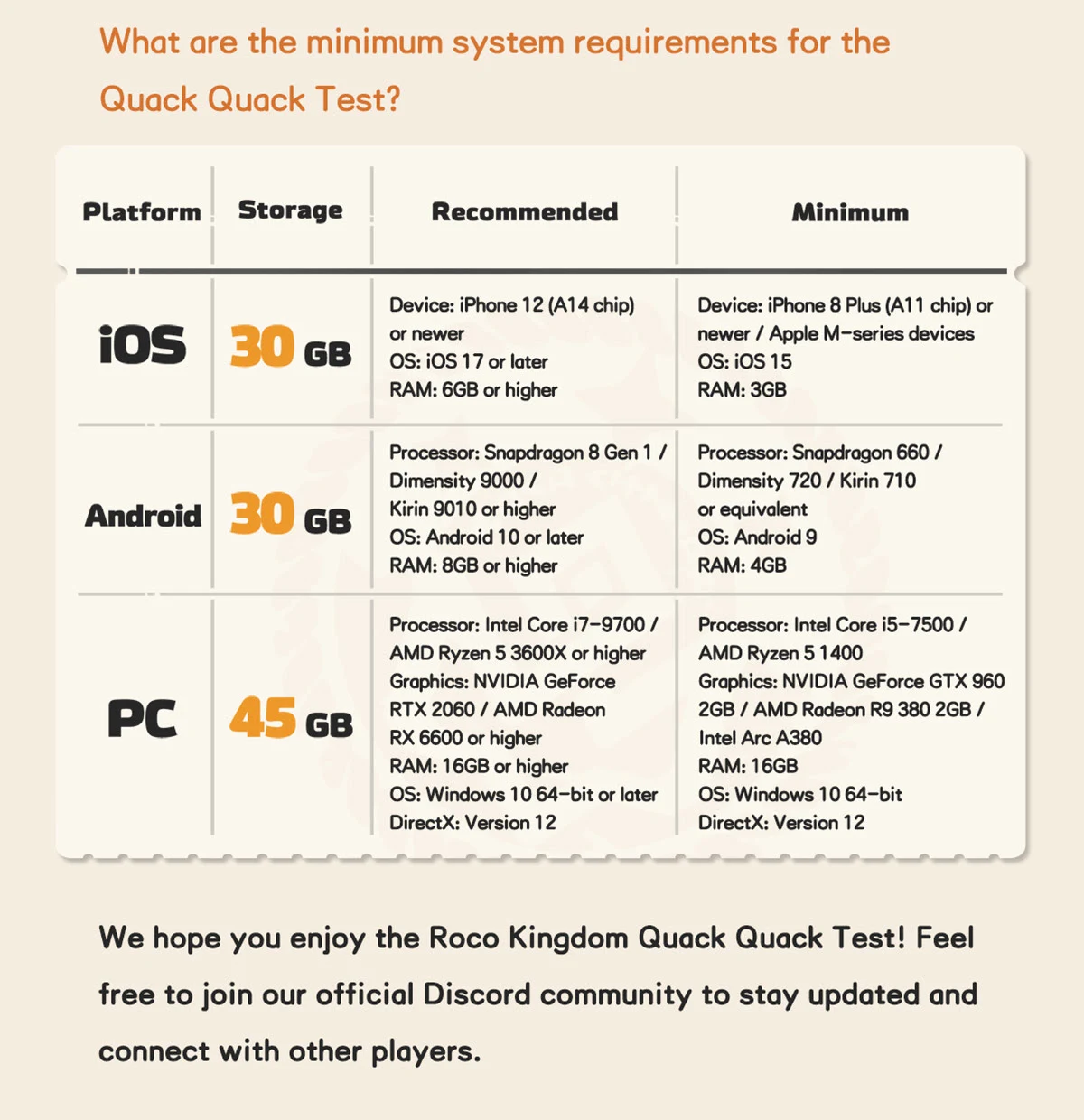
Make sure to leave enough free storage space before installing the game. Performance may vary depending on your device and the optimization of the beta build.
What to Know Before Playing Roco Kingdom
There are several important things to keep in mind before the Quack Quack Test begins.
1. Beta Progress Will Be Wiped
All characters, game data, and progression will be deleted when the closed beta ends. Nothing earned during the test will carry over to the full release.
2. No In-Game Purchases
In-game purchases will not be available during the Quack Quack Test.
3. Cross-Platform Progression Is Supported
Game data is shared between PC and mobile platforms during the test. Players must use the Level Infinite account approved for beta access.
4. English and Japanese Are Supported
The closed beta supports English and Japanese. Additional languages may be available in future versions.
5. Streaming and Content Sharing Are Allowed
Players are welcome to record gameplay, livestream, and share their experiences on social media.
Beginner Tips Before the Quack Quack Test
While waiting for the beta to begin, players can also prepare for their first adventure.
Here are a few useful tips:
- Add friends early. Some friendship-related quests in the Chinese version have time requirements.
- Choose your starter carefully. Sparka (Fire), Cerulla (Water), and Meevy (Grass) offer different strengths.
- Follow the main story. Story progression helps introduce important gameplay systems and unlock new activities.
- Catch new Jinies. Building your collection can help you progress and discover different team combinations.
- Save valuable resources. Avoid spending rare catching items(Prism Pods, Stamina, Roco Beans) and other limited resources unnecessarily.
Note: These gameplay tips are based on the Chinese version of Roco Kingdom. Some systems, values, or requirements may differ in the global closed beta.
Roco Kingdom Pre-Download FAQ
Can Everyone Download Roco Kingdom?
No. Only players granted access to the Quack Quack Test can participate in the closed beta.
How Can I Check My Beta Access?
Visit the official Roco Kingdom website and log in with your Level Infinite account. You can also check your email for the beta invitation.
Can I Download Roco Kingdom Through Steam?
The official PC beta download instructions currently direct selected testers to the dedicated PC Launcher. Players should follow their confirmation email or the official website rather than assume the Steam version provides beta access.
Will My Beta Progress Carry Over?
No. All game data and character progression will be wiped after the test.
When Does the Quack Quack Test End?
The official end date has not yet been announced.
Get Ready for the Roco Kingdom Quack Quack Test
With pre-downloads now available, selected players can prepare for the upcoming Roco Kingdom closed beta.
Remember to confirm your beta access, use the correct Level Infinite account, and check your device's available storage before the test begins on October 27 at 04:30 UTC.


Comments 0
Share ideas. Be kind. Keep spoilers marked.
Sign in to share your thoughts and reply to other players.